Asynchronous work is a method of collaborating where team members complete tasks and communicate on their own schedules, without needing to be online at the same moment. The asynchronous work meaning centers on timing, not location: it describes how work happens, not where someone sits when they do it. A developer in Lisbon can leave detailed code review comments at 9 AM, and a colleague in Austin responds that afternoon without either person waiting idle.
Two everyday examples make this concrete:
- Email: You send a project update; the recipient answers when they get to it, often within a few hours to a day.
- Shared doc comments: You leave feedback on a proposal overnight; your teammate incorporates it the next morning.
Most healthy async cultures expect a response window measured in a range from several hours up to a day, not minutes.
Key Takeaways
Asynchronous work succeeds when teams pair clear response-window norms with thorough documentation, keeping meetings for the handful of tasks that genuinely need real-time presence.
| Point | Details |
|---|---|
| Async means timing, not location | It describes how work happens, separate from remote work, which describes where people sit. |
| Response windows prevent chaos | Set tiers like urgent, four-hour, and 24-hour to remove guesswork around reply speed. |
| Balance beats extremes | Aim for roughly 20 to 30% synchronous and 70 to 80% asynchronous for most knowledge teams. |
| Documentation is the backbone | Written decisions and handoffs replace the institutional memory that live meetings used to carry. |
| Verified listings save time | Nomad Careers checks remote job postings so async-friendly claims hold up before you apply. |
Table of Contents
- What Asynchronous Communication Means in Practice
- Asynchronous Vs Synchronous Work: When to Use Each
- The Real Benefits of Async Work
- Where Async Work Breaks Down
- How to Roll Out Asynchronous Work on Your Team
- Tools and Channels That Actually Support Async Work
- What Async-Friendly Job Listings Actually Look Like
- Getting the Balance Right Between Async and Sync
- Find Remote Roles Built Around How You Actually Work
- Sources
What Asynchronous Communication Means in Practice
The term borrows directly from computing. In software, an asynchronous process doesn’t block execution while waiting for a result. MDN Web Docs describes async operations as ones that don’t require an immediate response, letting a program keep running while it waits. Apply that same logic to a team, and you get people who keep working while a request sits in someone else’s queue instead of freezing until they reply.
Culture Amp draws a sharp line here that’s worth repeating because so many teams blur it: async is about how work gets done, whereas remote is about where it gets done. You can be fully async while sitting in the same office, and you can be fully remote while still forcing everyone onto back-to-back video calls.
Here’s what asynchronous collaboration looks like across common roles:
- Task board handoffs. A ticket moves from “in review” to “ready to merge” on a project board, and the next person picks it up whenever they’re free.
- Recorded updates. Instead of a live standup, someone records a two-minute video walking through progress and blockers.
- Doc-based reviews. A product spec circulates for comments over 24 hours instead of being debated live in a room.
- Code reviews. An engineer submits a pull request with context notes; a reviewer responds when their focus block ends.
Role snapshots vary the texture: engineers lean on pull requests and issue trackers, content teams live in shared drafts with comment threads, product managers write specs that gather input over days, and support teams triage tickets through shared queues rather than live chat.
Pro Tip: Write context into every handoff as if the next person has zero background. That single habit prevents more async breakdowns than any tool switch ever will.
Asynchronous Vs Synchronous Work: When to Use Each
Slack’s framing captures the core distinction well: synchronous work is blocking, meaning everyone has to be present at once, while asynchronous work is non-blocking, letting people continue without waiting on an immediate reply. That’s the whole model in one sentence.
Some situations genuinely need everyone in the same room, physical or virtual:
- Brainstorming sessions where ideas need to bounce off each other in real time.
- Resolving urgent conflicts that are spiraling in a group chat.
- Relationship-building conversations that don’t translate well to a doc comment.
Everything else, from status updates to knowledge sharing to deep individual work, tends to run better async.
| Factor | Synchronous | Asynchronous |
|---|---|---|
| Response time | Immediate | Longer response times allowing for several hours |
| Common formats | Meetings, calls, live chat | Email, docs, recorded video, task boards |
| Best for | Brainstorming, urgent issues | Status updates, documentation, focused work |
A useful test: take one recurring meeting, like a weekly status sync, and replace it with a written update posted in a shared doc by a set deadline each week. Teams that try this often find the meeting was mostly information transfer, which a document handles just as well without the calendar hit.
The Real Benefits of Async Work
Teams that shift toward async collaboration tend to notice the change first in how much uninterrupted time comes back. Fewer meetings means longer stretches for deep work, and research on asynchronous communication links this pattern to improved focus and fewer meeting-driven interruptions, though it also flags slower decision cycles as a real cost.
The benefits stack up across several dimensions:
- Deep work protection. Long blocks of uninterrupted time let people finish complex tasks instead of context-switching between calls.
- Inclusivity across time zones. A teammate in Manila and one in Berlin can both contribute meaningfully without either joining a meeting at 3 AM.
- Permanent, searchable records. Decisions live in docs and tickets instead of vanishing the moment a call ends, so nobody has to ask “wait, what did we decide?”
- Reduced meeting fatigue. Fewer live sessions means more hours actually spent producing work.
- Wider hiring pools. Companies that don’t require overlapping hours can recruit talent regardless of geography.
Async collaboration can also sharpen the quality of the work itself. Harvard Business Review points to creativity gains when teams deliberately design for async, likely because people have room to think before responding instead of reacting on the spot in a meeting. That extra beat between prompt and answer tends to produce more considered contributions than a rapid-fire discussion does.
Where Async Work Breaks Down
Async isn’t a free upgrade. It trades one set of problems for another, and pretending otherwise sets teams up for a rough transition.
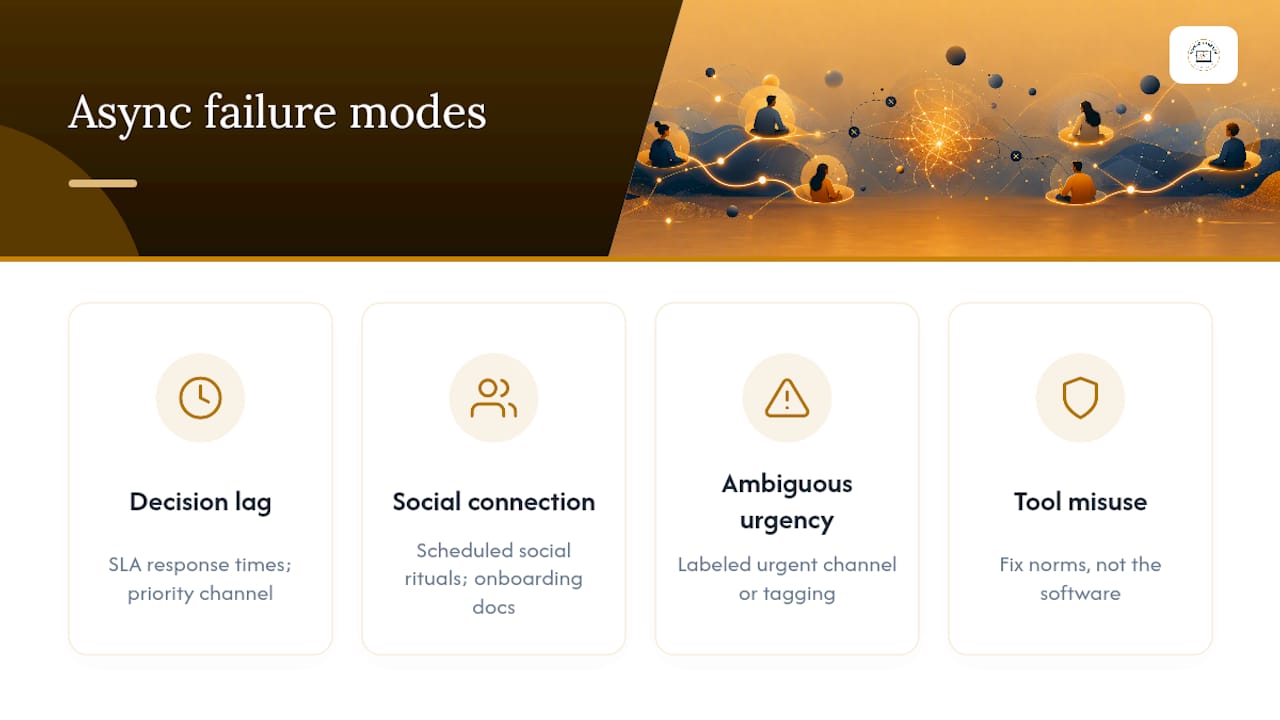
Decision lag is the most common complaint. When nobody’s required to respond instantly, choices that used to get settled in a five-minute call can stretch across days. Teams counter this with service-level agreements on response time and a dedicated priority channel for anything genuinely blocking.
Social connection takes a quieter hit. Fewer live interactions means fewer of the small moments that build trust between colleagues, and new hires can feel adrift without a live person walking them through the ropes. Scheduled social rituals, like an optional weekly video coffee chat, and detailed onboarding documentation both help close that gap.
Ambiguous urgency causes friction too. If everything gets sent through the same channel with no signal for what’s time-sensitive, either everyone treats every message as urgent, which is exhausting, or nothing gets a timely response. A clearly labeled urgent channel or tagging convention solves most of this.
The subtlest failure mode is tool mis-use. A team can adopt every async tool on the market and still run a synchronous culture if people expect instant replies to every chat message. PCMag notes that norms matter more than the software itself.
Pro Tip: If your team treats chat like a phone that must be answered in minutes, you don’t have an async tool problem. You have an async norms problem, and no amount of new software fixes that.
How to Roll Out Asynchronous Work on Your Team
Start by defining, in writing, which channels are async by design and which stay synchronous, following practical tips for remote working to set up clear habits. Without that split spelled out, people default to whatever felt normal at their last job, and confusion follows.
- Map your channels. Label email, project boards, and shared docs as async; reserve calls and live chat for genuinely time-sensitive conversations.
- Set response windows. A workable structure looks like: urgent issues go to a phone call or a flagged channel, operational requests get a four-hour window, and everything else gets 24 hours.
- Document every decision. Write the outcome and the reasoning in a shared doc, not buried in a chat thread that scrolls away.
- Label handoffs clearly. Treat work like a relay race, where each person passes full context along with the next step, rather than a vague “over to you.”
- Pilot one async ritual for a week. Pick a single recurring meeting, replace it with a written update, and measure how decision speed and team connection hold up.
Before the pilot ends, run through this onboarding checklist so new hires don’t fall through documentation gaps:
- A written team handbook covering channel roles and response windows.
- A recorded walkthrough of key workflows and tools.
- A named point of contact for questions during the first two weeks.
- Access to the decision log or documentation hub from day one.
Extending the pilot to two or four weeks gives a clearer read on whether decision time actually slows and whether team connection holds up, which are the two metrics worth tracking before rolling the change out further.
| Point | Details |
|---|---|
| Define channel roles | Write down which tools are async by default and which stay reserved for urgent, live conversation. |
| Set explicit response windows | Use tiers like urgent (call), operational (four hours), and routine (24 hours) to remove guesswork. |
| Document decisions, not just chats | Keep a searchable record of outcomes so context never lives only in a scrollback. |
| Pilot before scaling | Test one async ritual for one to four weeks and track decision speed and team connection. |
Tools and Channels That Actually Support Async Work
The tool matters less than how consistently a team uses it, but certain categories fit async patterns better than others.
- Project boards and issue trackers give tasks a visible status so handoffs don’t require a meeting to confirm who owns what next.
- Collaborative documents hold specs, decisions, and review threads in one place that anyone can revisit without asking someone to repeat themselves.
- Recorded video or voice works well for explanations too complex for text, letting the viewer pause, rewind, and absorb at their own pace.
- Chat apps stay async only when the team agrees messages don’t need instant replies. The moment “seen” notifications create pressure to respond in real time, chat has quietly become a synchronous channel wearing an async costume.
What Async-Friendly Job Listings Actually Look Like
Engineering teams often run code review as a relay: one developer opens a pull request with detailed notes, a reviewer comments hours later, and the fix lands without a single call. Content teams do the same in shared drafts, and product managers hand off specs the same way, each leg building on the last person’s written context.
Job seekers can spot async-friendly roles by watching for a few concrete signals:
- Job descriptions that state clear deliverables instead of vague “collaborate with team” language.
- Interview processes that include async steps, like a written case study instead of only live panels.
- Listings that specify flexible overlap hours rather than demanding a fixed nine-to-five across time zones.
A remote listing that hides its actual working hours, timezone overlap requirements, or interview format until the final round is a strong sign the role isn’t as flexible as the headline suggests.
Every listing on Nomad Careers gets manually verified before it goes live, which cuts down on postings that advertise “remote” while quietly expecting synchronous availability the ad never mentions.
Getting the Balance Right Between Async and Sync
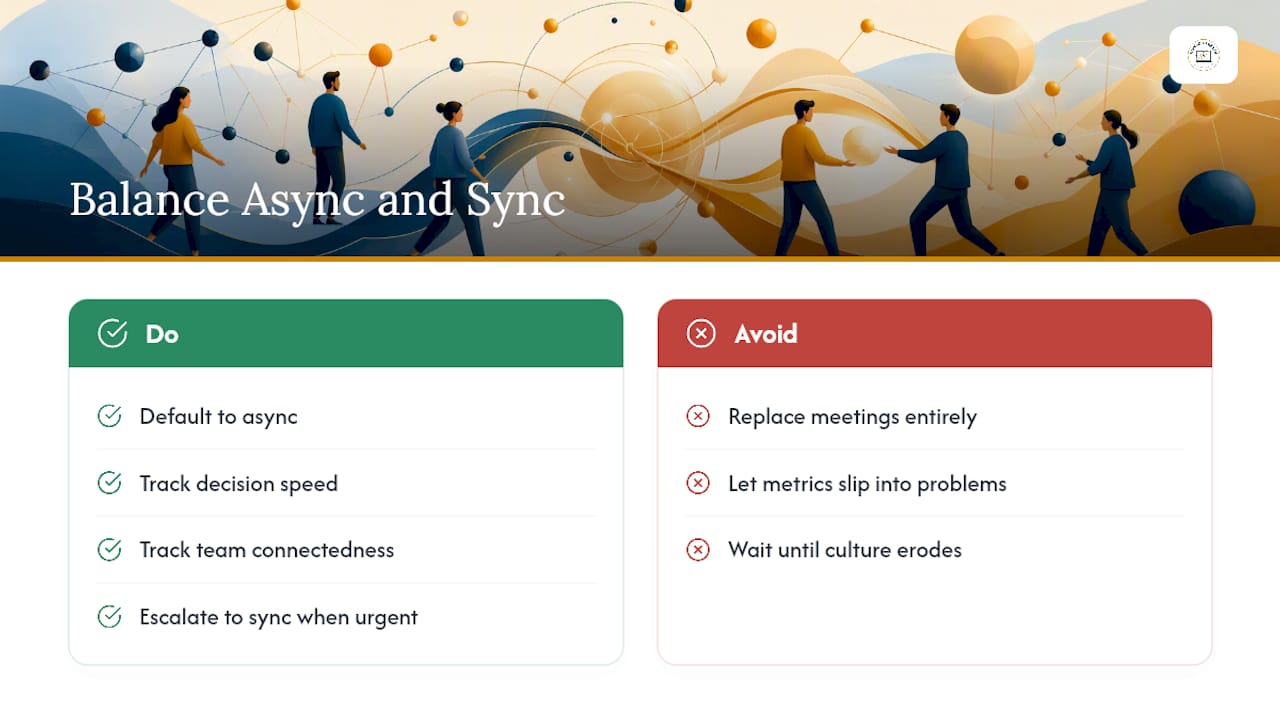
A healthy mix for most knowledge teams involves a sizable portion synchronous and a larger portion asynchronous work, not a wholesale replacement of meetings. Managers piloting the shift should track two things: how fast decisions actually get made, and whether the team still feels connected to each other, not just to the work. If either slips noticeably, dial sync back up before it becomes a culture problem.
The rule of thumb worth keeping on a sticky note: default to async, escalate to sync only when the conversation truly can’t wait.
— Jessica
Find Remote Roles Built Around How You Actually Work
Once you understand the asynchronous work meaning, the next question is practical: where do you find jobs that actually practice it instead of just claiming to? Nomad Careers manually verifies every listing on the site, screening out postings that advertise “remote” while hiding rigid, always-online expectations. That verification is the concrete advantage over scrolling generic job boards where half the “remote” tags mean nothing once you’re three weeks into the role.
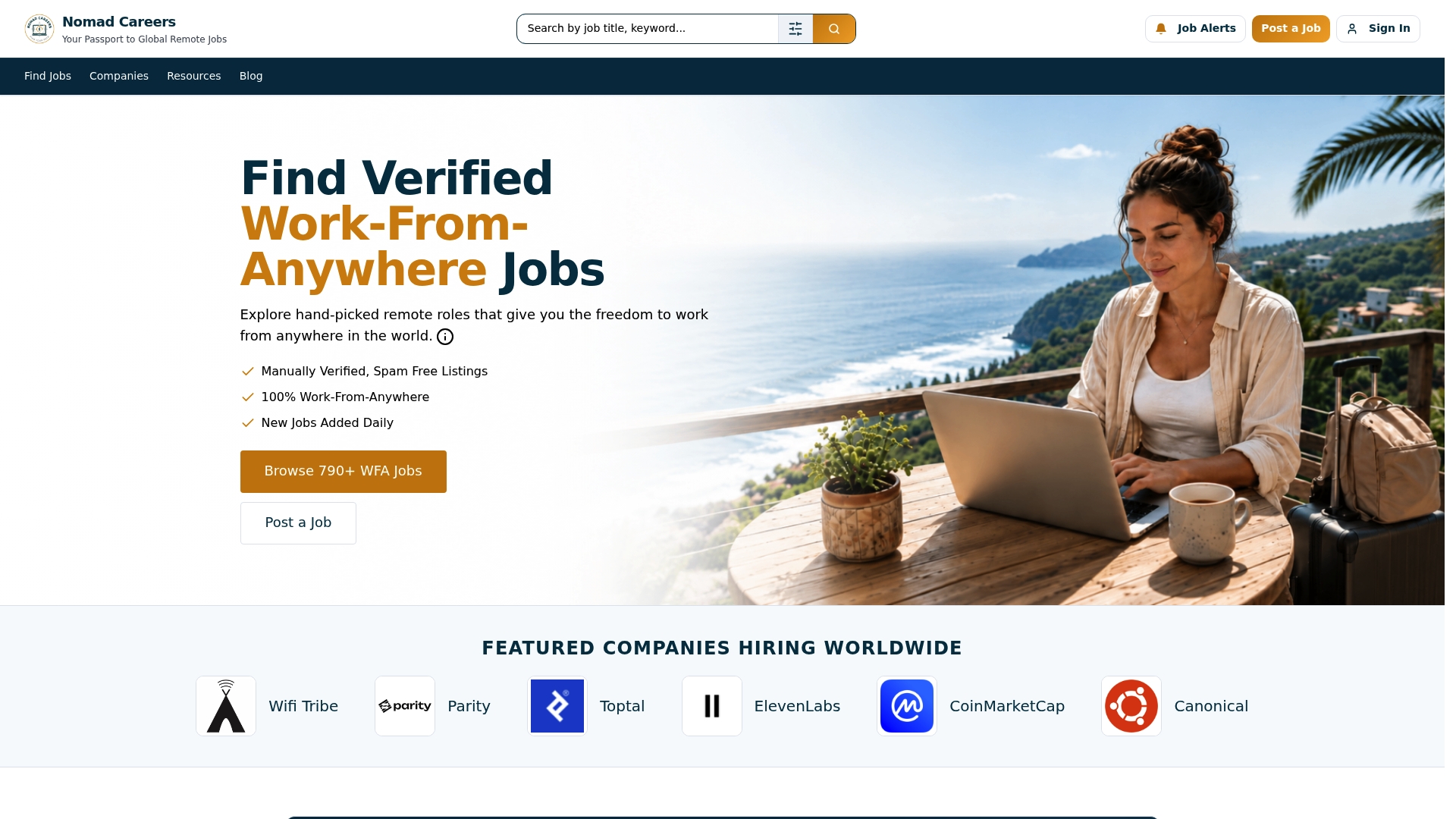
Look for listings that spell out response-time expectations, overlap hours, and deliverables up front, the same signals covered above. Search current openings through the verified remote job listings and use the built-in checklist to screen out postings that only pretend to support async work.