Every new remote hire needs the same four things confirmed before you overthink anything else: working access on Day 1, a clear picture of role expectations by Week 1, one measurable deliverable by day 60, and a documented plan for the first 90 days. That’s the whole game. Everything else in this guide fills in the timing and ownership behind those four checkpoints.
Here’s the condensed version you can paste into a project management tool right now:
-
Equipment ordered and MDM enrolled 10 days before start
-
All accounts provisioned and tested 3 days before start
-
Manager sends welcome email and Week 1 agenda by T-1
-
Day 1: IT access verified (not configured), 60-minute manager welcome, team intro
-
Week 1: role-specific training, buddy check-ins, one small starter task completed
-
30 days: role clarity confirmed via survey
-
60 days: first real deliverable submitted
-
90 days: ownership of a defined area demonstrated
Employees who go through a structured onboarding program are reportedly 58% more likely to stay with a company three years later compared to those without one, according to Jellyvision. A full downloadable version of this checklist, formatted as PDF, CSV, and calendar .ics, is available further down this guide, along with notes on adjusting it for time zones and seniority level.
Table of Contents
- Key Takeaways
- What Is a Remote Onboarding Checklist Meant to Achieve?
- Pre-Onboarding: What to Complete Before Day One
- What Should Happen on the New Hire’s First Day?
- Building Out the First Week Without Overwhelming Anyone
- Turning the 90-Day Plan Into Measurable Milestones
- Who Owns What: HR, IT, Managers, and Buddies
- Setting Training Priorities and Early Performance Goals
- How Do You Set Communication Norms for Distributed Teams?
- Sample Schedules and Downloadable Templates
- Where Remote Onboarding Usually Breaks Down
- What Actually Separates a Working Onboarding Program From a Broken One
- Frequently Asked Questions
- Sources
- Recommended
Key Takeaways
Remote onboarding succeeds when pre-start provisioning, a verified Day 1, documented communication norms, and measurable 30/60/90 milestones are each owned by a named person.
| Point | Details |
|---|---|
| Preboarding wins the process | Complete equipment, MDM, and account provisioning 10 days before start so Day 1 is verification, not setup. |
| Day 1 needs structure, not overload | Cap live sessions to two blocks and confirm IT access before any training begins. |
| Ownership prevents dropped tasks | Assign HR, IT, manager, and buddy responsibilities in writing, with a backup for each role. |
| Milestones must be measurable | Use a 30-day clarity survey, a 60-day deliverable, and a 90-day ownership goal. |
| Communication norms reduce anxiety | Publish a 1 to 2 hour overlap window and response SLAs before the new hire’s first week. |
What Is a Remote Onboarding Checklist Meant to Achieve?
A remote onboarding checklist is the sequenced set of tasks, owners, and deadlines that gets a distributed new hire from signed offer to independent contributor without anyone in the room to tap on the shoulder. Done well, it covers three layers at once: organizational (does this person understand how the company runs), technical (can they access what they need), and social (do they know their teammates and feel part of the culture). The GitLab Handbook frames these as the three dimensions any all-remote onboarding plan has to address, and documentation plus asynchronous workflows are what make the plan scale past a handful of hires.
Success is measurable, not a feeling. Track these indicators:
-
Day-1 access verified (VPN, email, core tools) with zero support tickets
-
30-day role clarity, self-reported via a short survey
-
60-day first deliverable submitted on time
-
90-day ownership of a defined project or account
-
New-hire satisfaction score at 30 and 90 days
-
Voluntary attrition inside the first 6 months
Front-loading the pre-start and Week 1 phases isn’t busywork. It’s the difference between a new hire who feels set up to succeed and one who spends their first two weeks chasing IT tickets.
Pre-Onboarding: What to Complete Before Day One
The preboarding window, roughly 7 to 10 business days before the start date, is where most remote onboarding programs actually succeed or fail. Miss this window and Day 1 turns into a troubleshooting session instead of a welcome.
-
T-10 days: HR finalizes paperwork (offer letter, tax forms, direct deposit) and procures equipment. Ops confirms the shipping address and local import considerations for international hires.
-
T-8 days: IT enrolls the laptop in your MDM system and pre-installs required software images.
-
T-5 days: IT provisions accounts (email, SSO, Slack or Teams, project management tools) and tests login credentials internally.
-
T-3 days: Manager schedules the Day 1 calendar, assigns a buddy, and drafts the Week 1 agenda.
-
T-1 day: HR sends a welcome email with login instructions, the Day 1 schedule, and a point of contact for tech issues. IT confirms equipment tracking shows delivery.
Ownership matters here more than task volume. HR owns paperwork and communication timing, IT owns provisioning and shipping logistics, the manager owns scheduling and the buddy assignment, and ops owns anything that touches physical delivery across borders.
Pro Tip: Ship equipment with signature-required delivery and build in a 3-day buffer before the start date. If a laptop is delayed, have a loaner device or a cloud-based virtual desktop ready as a fallback so a shipping hiccup never becomes a Day 1 crisis.
What Should Happen on the New Hire’s First Day?
Day 1 should feel like verification, not setup. If IT is still configuring accounts when the new hire logs on, the pre-onboarding phase already failed. CheckFlow’s onboarding research is blunt about this: pre-start provisioning exists specifically so Day 1 IT calls confirm access instead of building it from scratch.
A timeboxed structure keeps the day purposeful without exhausting a nervous new hire:
| Time block | Activity |
|---|---|
| Morning | IT access verification, manager 1:1 welcome (60 minutes) |
| Midday | Team introduction meeting (30 minutes, recorded) |
| Afternoon | HR orientation, benefits walkthrough, first small task assigned |
Run through this IT verification list before the new hire’s first call ends: VPN connects from their location, MDM shows the device as compliant, MFA is set up, core apps open without errors, and shared drives or wikis are reachable.
For the manager’s welcome meeting, cover four things: what success looks like in 30/60/90 days, who’s on the team and what they do, how and when to reach the manager, and what’s expected by end of Day 1. Close the day with one specific instruction for Day 2, such as “review the onboarding wiki and come with two questions tomorrow.”

Building Out the First Week Without Overwhelming Anyone
Days 2 through 5 are where competence and connection get built, provided you don’t cram in too much at once.
-
Day 2: Deeper tool training (project management platform, communication norms, documentation system). Buddy check-in, informal, 20 minutes.
-
Day 3: Role-specific shadowing, sit in on a live meeting or review recorded ones tied to the role.
-
Day 4: Cross-functional introductions, three or four short calls with adjacent teams the new hire will work with.
-
Day 5: First small starter task submitted, plus a manager check-in to review it and set Week 2 direction.
The buddy should check in daily during Week 1, even briefly, since GitLab’s onboarding framework treats a structured buddy program as essential for reproducing office-style social learning at scale. The manager checks in at the end of Day 1, midweek, and end of Week 1.
Early wins matter more than task complexity. A first task should be small enough to finish inside a day but real enough that completing it means something, drafting a process doc, closing a minor support ticket, or shipping one small fix.
Turning the 90-Day Plan Into Measurable Milestones
The 30/60/90 framework works because each phase has a different job: learn, then contribute, then own. Vague goals like “get settled in” don’t hold anyone accountable. Specific ones do.
| Phase | Milestone | Who runs the check-in |
|---|---|---|
| 30 days | Role clarity confirmed via survey | HR + manager |
| 60 days | First real deliverable submitted | Manager |
| 90 days | Ownership of a defined project or account | Manager + HR |
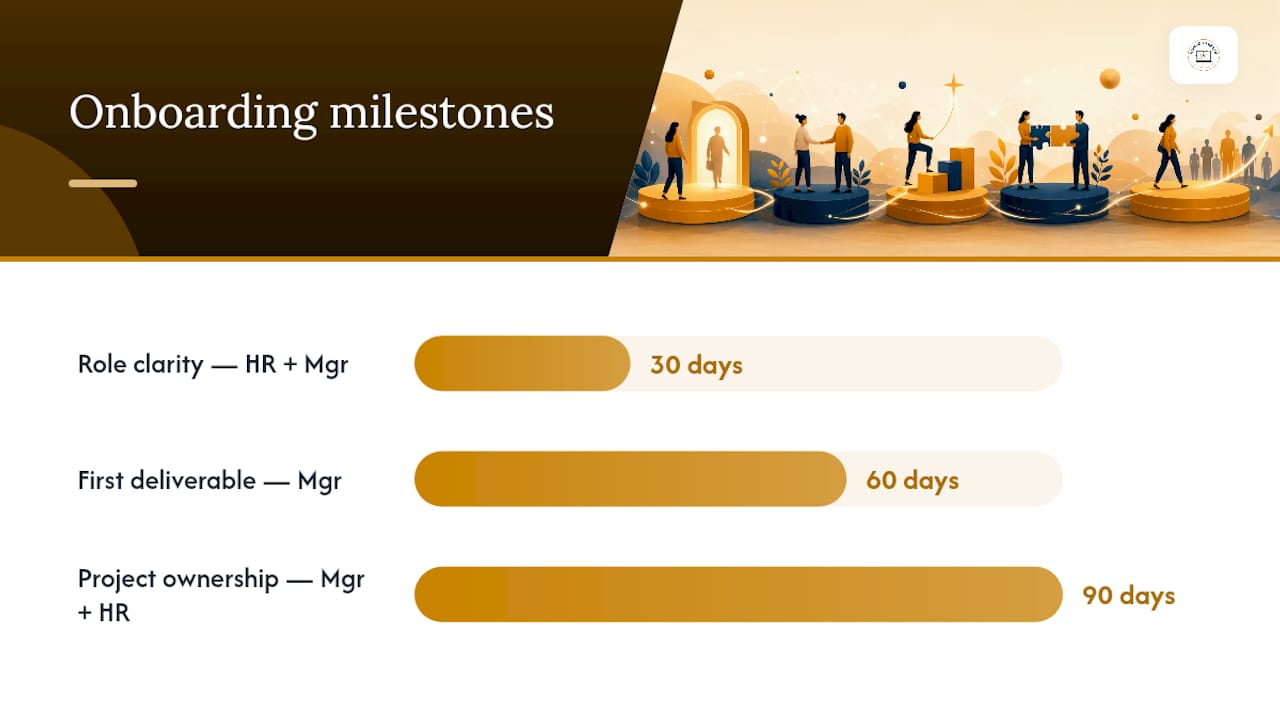
HR industry guidance consistently recommends scheduled manager check-ins paired with ongoing feedback collection to validate whether onboarding actually worked, rather than assuming it did because the calendar says 90 days have passed. Keep the 30-day and 90-day surveys short, five questions or fewer, and ask about clarity, tools, connection, and confidence rather than generic satisfaction.
Who Owns What: HR, IT, Managers, and Buddies
Tasks fall through the cracks when two people assume the other one is handling it. A short ownership list fixes that:
-
HR: paperwork, benefits enrollment, compliance training scheduling, 30/90-day surveys
-
IT: equipment procurement, MDM enrollment, account provisioning, Day 1 access verification
-
Manager: Day 1 agenda, weekly 1:1s, feedback cadence, 30/60/90 goal setting
-
Buddy: daily Week 1 check-ins, informal culture questions, social introductions
The manager’s first-week job is really just three things done consistently: set expectations clearly, hold the weekly 1:1 without skipping it, and give feedback fast enough that small confusions don’t calcify into bad habits. If a manager or buddy is out sick or on leave during a new hire’s first two weeks, name a backup in advance rather than leaving the new hire without a point of contact.
Setting Training Priorities and Early Performance Goals
Training in the first two weeks should cover four buckets: compliance and security (data privacy, password policy, device rules), role-specific tools, product or process knowledge, and communication norms. Skip any of these and problems surface later, usually as a security incident or a missed deadline that traces back to a gap nobody caught early.
-
Compliance and security training, including data handling and device policy
-
Role-specific software and workflow training
-
Product or process fundamentals relevant to the role
-
Team communication norms and documentation habits
A SMART goal a manager can copy directly into a 30/60/90 plan: “Submit one completed customer support ticket resolution by day 10, with manager review, to confirm workflow understanding before handling tickets independently.”
Managers should schedule focused Day 1 time to clarify role expectations and confirm tools and communication norms are ready, since these specific actions produce measurably better early outcomes than a generic welcome call.
Weekly check-ins during the first month, then biweekly through day 90, catch problems early. Escalate to HR if a new hire misses two consecutive check-ins or if a 30-day survey flags low role clarity.
How Do You Set Communication Norms for Distributed Teams?
The single biggest driver of new-hire anxiety on a distributed team is not knowing when someone will respond. Fix that by identifying and protecting a 1 to 2 hour overlap window, a block of hours where the new hire’s core team is reliably online for real-time questions, and publishing it in the onboarding doc. A time zone converter makes this easy to map across a distributed team before the offer letter even goes out.
Publish response SLAs alongside the overlap window:
-
Operational questions (access, tools, scheduling): 24-hour response
-
Strategic or project input (feedback, direction changes): 72-hour response
-
Urgent blockers: same-day response via the agreed emergency channel
Meeting overload is a documented risk in the first weeks. Harvard Business Review’s research on video fatigue recommends keeping live sessions short and purposeful, then recording anything a new hire might need to revisit.
Pro Tip: Rotate recurring meeting times across weeks if your team spans more than three time zones, and always record and caption onboarding sessions so nobody’s stuck attending a 6 a.m. call every single week.
Sample Schedules and Downloadable Templates
A Day 1 hour-by-hour agenda and a Week 1 schedule cover the two moments new hires are most likely to feel lost. Both should link out to recorded orientation content and a short required-reading list (handbook, security policy, team wiki) so nothing depends on live attendance.
| Template | Format available | Where to store it |
|---|---|---|
| Day 1 agenda | PDF, calendar .ics | LMS or onboarding handbook |
| Week 1 schedule | PDF, CSV | LMS or shared drive |
| 30/60/90 goal tracker | CSV | Manager’s project tool |
Adapt seniority by depth, not by skipping steps. A senior hire still needs the same Day 1 verification checklist, just with a shorter orientation block and a faster jump into role-specific work. For time zone adaptation, shift meeting blocks to the new hire’s overlap window rather than defaulting to headquarters hours, and always send a calendar file with the correct time zone attached rather than a plain time listed in text.
Where Remote Onboarding Usually Breaks Down
-
Delayed equipment or access: ship 10 days early with a loaner-device fallback.
-
Unclear expectations: put 30/60/90 goals in writing before Day 1.
-
Overloaded Day 1: cap live sessions to two, record everything else.
-
Time zone exclusion: rotate meetings, protect an overlap window.
-
No assigned buddy: assign one before the offer is signed, not after.
-
Silent managers: set a fixed weekly 1:1, no exceptions in week one.
Pro Tip: Send a short feedback survey at day 15, not just day 30. Catching a confused new hire two weeks in gives you time to fix the problem before it turns into a resignation.
Caption every video and write onboarding docs in plain, screen-reader-friendly formatting. Skipping this excludes hires with visual or hearing impairments from information everyone else gets by default.
What Actually Separates a Working Onboarding Program From a Broken One
Most onboarding programs fail for one boring reason: nobody wrote down who owns what, so tasks get assumed rather than assigned. The checklist itself is not the hard part. Deciding, in writing, that IT owns provisioning and the manager owns Day 1 clarity is what actually prevents the gaps.
At Nomadcareers, we see the downstream effect of weak onboarding constantly in how employers describe their hiring pain to us: teams that document their async workflows and communication norms tend to retain distributed hires longer than teams that rely on informal, in-person-style habits stretched thin across time zones. Employers building out remote teams can find more structured hiring guidance through Nomad Careers’ resources for employers.
Frequently Asked Questions
What should be on a remote onboarding checklist? A complete checklist covers pre-start provisioning (equipment, accounts, paperwork), a Day 1 verification agenda, a Week 1 training and integration plan, and 30/60/90-day milestones with named owners for each task.
How long should remote onboarding take? Most structured programs run a full 90 days, with the heaviest activity in the first two weeks. Role clarity should be confirmed by day 30, a real deliverable by day 60, and demonstrated ownership by day 90.
Who should be responsible for remote employee onboarding? Responsibility splits across HR (paperwork, compliance, surveys), IT (equipment and access), the direct manager (expectations and check-ins), and an assigned buddy (informal support and social connection).
How do you onboard remote employees across different time zones? Identify a 1 to 2 hour overlap window for live collaboration, publish response SLAs for async questions, rotate recurring meeting times, and record every session so no time zone is permanently excluded.
How do you measure if remote onboarding is working? Track Day-1 access success, 30-day role clarity survey scores, 60-day deliverable completion, and 90-day retention and satisfaction signals rather than relying on a single completion checkbox.
Sources
-
The complete guide to remote onboarding for new-hires | The GitLab Handbook
-
Remote Employee Onboarding Checklist: The Complete 2026 Guide | CheckFlow