A well-planned workation follows eight steps in this order: (1) choose a destination with reliable internet and workable time-zone overlap, (2) get explicit employer approval with a trial plan, (3) book accommodation with a verified dedicated workspace, (4) secure a primary connection and one tested backup, (5) set protected daily work blocks and communicate your hours, (6) pack your tech and health essentials, (7) confirm travel insurance and legal status, and (8) run a pre-departure automation sweep. That sequence matters because each step reduces a specific risk before you commit money or calendar to the next one.
A workation, as Wiktionary defines it, is a bounded trip where you perform your regular job from a leisure destination. It is not a career change or a permanent lifestyle shift. That distinction shapes every planning decision below.
Quick 8-step checklist:
-
Pick a destination: reliable fiber or cable internet, 3–5 hours of time-zone overlap with your team, basic healthcare access
-
Get manager approval: present a short trial period with hours, deliverables, and a post-trial report
-
Book accommodation: verified desk, strong Wi-Fi confirmed in recent reviews, clear cancellation policy
-
Confirm connectivity: test wired ethernet availability and identify one backup workspace within 30 minutes
-
Set your schedule: lock 1–2 deep-work blocks daily, share your availability window with the team
-
Pack smart: laptop, chargers, USB-C hub, noise-canceling headphones, portable hotspot, travel adapter
-
Handle logistics: travel insurance covering electronics, visa status check, payroll/tax awareness for longer stays
-
Pre-departure sweep: calendar blocks, file centralization, delegations, out-of-office messages, automated status updates
Key Takeaways
Successful workation planning starts with employer approval and a protected daily work block, not a flight booking.
| Point | Details |
|---|---|
| Approval before booking | Present a 2-week trial with hours, deliverables, and a post-trial report before booking travel. |
| Verified connectivity | Confirm internet type and speed from recent reviews; always arrange one tested backup workspace. |
| Protected deep-work block | Lock 1–2 daily work blocks before scheduling any exploration or leisure activities. |
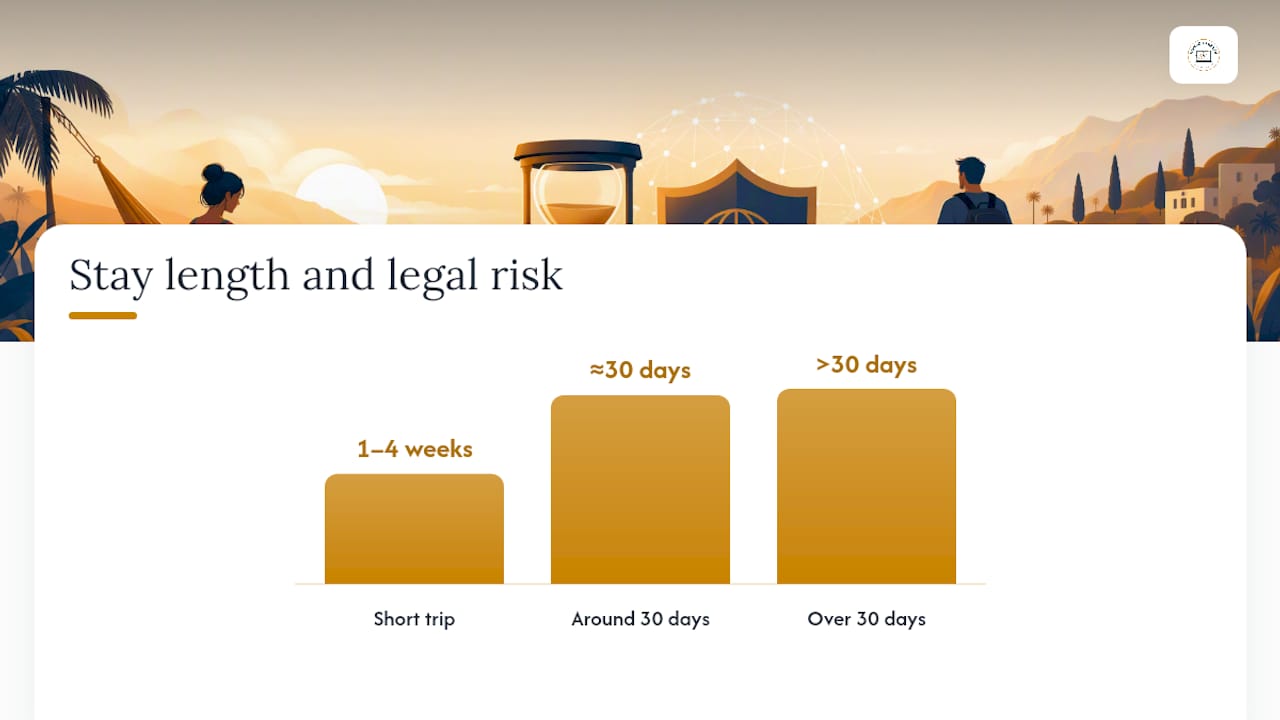
| Trip length and legal risk | One to four weeks suits most U.S. workers; stays beyond four weeks require payroll and tax review. |
| Nomadcareers for repeat workations | Nomadcareers lists manually verified, genuinely location-independent jobs that support regular workations. |
How to choose the right destination for workation planning
Three factors are non-negotiable: reliable internet, workable time-zone overlap with your team, and access to basic amenities. Everything else, cost, climate, scenery, is secondary until those three are confirmed.
Time-zone math first. Calculate how many hours of overlap you need with your team’s core hours. Most U.S. remote workers need at least three to four hours of synchronous availability. That rules out Southeast Asia for East Coast employees on standard schedules but makes Mexico City, Medellín, or Lisbon workable with minor schedule adjustments.
Internet type matters more than advertised speed. Fiber or cable connections handle video calls reliably; shared hotel Wi-Fi or satellite connections often do not, regardless of the Mbps claim. Check recent listing reviews specifically for mentions of Wi-Fi reliability, not just speed. A host who responds quickly to questions about connectivity is a positive signal.
Safety and healthcare access are practical concerns, not abstract ones. Confirm that your destination has a hospital or urgent care clinic within a reasonable distance and that your travel insurance covers that country’s healthcare system.
To shortlist three candidates quickly:
-
Search “[city] coworking Reddit 2025” for unfiltered connectivity reports
-
Filter Airbnb or Vrbo listings by “dedicated workspace” and read the three most recent reviews for Wi-Fi mentions
-
Check the U.S. State Department travel advisory level for any international destination
Which destination fits which priority? For zero time-shift, U.S. domestic options like Austin, Denver, or Asheville keep you in your home time zone. For low cost with good internet, Mexico City and Medellín (Colombia) offer fiber-connected coworking scenes at a fraction of U.S. urban costs. For outdoor activities with reliable connectivity, Bend, Oregon, and Bozeman, Montana, combine trail access with growing remote-work infrastructure. TravelBuzzy’s workation guide notes that the average workation runs a few weeks, which means a destination with a direct flight from your home city reduces arrival-day fatigue and keeps the trip logistically clean.
Choosing accommodation that actually supports a full workday
The minimum standard for any workation listing is a dedicated desk (not a kitchen counter), an ergonomic or adjustable chair, strong Wi-Fi confirmed in recent reviews, and a clear cancellation policy in case your plans change. Anything below that baseline will cost you productivity within 48 hours.
Booking checklist to run on every listing:
-
Photos show a real desk with adequate surface area, not a decorative writing table
-
Wi-Fi speed is stated in the listing AND confirmed by at least two recent reviews mentioning video calls
-
Power outlets are accessible from the desk without an extension cord
-
A coworking space is within a 15-minute walk or a short transit ride
-
The host has responded to previous guest questions within 24 hours
-
Cancellation policy allows a refund if you need to leave early for work reasons
How to verify internet before booking. Message the host directly: “I work remotely full-time and need to run video calls daily. Can you confirm the internet provider, the connection type (fiber, cable, or shared), and the approximate upload speed?” A host who answers with specifics is trustworthy. A host who replies “the Wi-Fi is great” without details is a risk.
When to choose which accommodation type:
-
Hotels work best for trips under one week or when your meeting load is high and you need a business center as a fallback.
-
Co-living spaces suit two-to-four-week stays where community and built-in coworking matter.
-
Short-term rentals (Airbnb, Vrbo, Furnished Finder) offer the best value for solo workers on two-to-four-week trips who want kitchen access and a quieter environment.
Two red flags that justify canceling on arrival: the desk in person is significantly smaller than in photos, or the Wi-Fi speed test on arrival is below 10 Mbps upload. Both will derail your work within days.
Pro Tip: Ask the host to run a speed test and send you a screenshot before you arrive. Most hosts with good connections are happy to do it; those who refuse are telling you something.
How do you secure reliable connectivity for remote work while traveling?
Always arrange a primary workspace with a tested connection and one verified backup reachable within 15–30 minutes. Connectivity failure during an important meeting is the single most common workation disaster, and it is almost entirely preventable with one afternoon of preparation on arrival day.
Primary workspace checklist:
-
Wired ethernet port available (not just Wi-Fi)
-
Advertised speed confirmed by real-world speed test (use Fast.com or Speedtest.net)
-
Quiet enough for video calls without background noise
-
Adequate lighting for on-camera meetings
-
Power access at the desk without a trip hazard
Backup options and quick tradeoffs:
| Backup option | Setup time | Typical cost | Best for |
|---|---|---|---|
| Coworking day pass | 1–2 hours to find and join | $15–$40/day | High-meeting days |
| Local SIM with data plan | 30 min at airport or store | $10–$30/month | Portable failover |
| Hotel business lounge | Immediate | Often free with stay | Short-term emergency |
| Café with ethernet | 15–30 min to locate | Cost of a drink | Light-work sessions |
Run a connectivity test on arrival evening before your first workday: check download and upload speed, run a VPN connection to confirm your company tools work, and make a test video call. If results are poor, activate your backup plan before the morning, not during a meeting.

Workation Insider’s practical guide recommends verifying Wi-Fi from recent reviews, identifying backup workspaces before day one, and carrying a local SIM or portable hotspot as a failover. That combination removes the most common operational risk.
Pro Tip: Buy a local data SIM and a portable battery hotspot before you need them. Test your VPN and all company tools from the destination on your first evening, not your first morning.
How do you set a daily schedule that protects both work and exploration?
Pick one to two non-negotiable daily work blocks that align with your team’s core hours and your own peak focus time. Everything else, meetings, exploration, meals, fits around those anchors.
Sample workday on a workation (Eastern Time, team in New York):
-
7:30–8:00 AM: Morning planning ritual, coffee, review priorities
-
8:00–11:30 AM: Deep-work block (no meetings, notifications off)
-
11:30 AM–12:30 PM: Team overlap window, check Slack, attend any scheduled calls
-
12:30–1:30 PM: Lunch, short walk
-
1:30–3:30 PM: Meetings or collaborative work
-
3:30–4:00 PM: Daily wrap-up, update task list, set tomorrow’s priorities
-
4:00 PM onward: Exploration, leisure, local activities
ClickUp’s workcation guide recommends protecting a morning deep-work block, scheduling exploration after work hours, and treating the trip as work-first with leisure ring-fenced in the afternoon and evening. That structure is repeatable across weeks without burning out.
How to write manager-friendly availability windows. State your hours in their time zone, not yours. “I’ll be available 9 AM–3 PM ET daily, with a focused work block from 8–11 AM ET” is clearer and more reassuring than “I’ll be working normal hours from abroad.”
A two-week trial period reduces manager resistance and lets you prove productivity without long legal or tax exposure. Offer a deliverables comparison at the end: “Here is what I completed this week versus my normal output.” Output measures (deliverables completed, tickets closed, copy submitted) are more persuasive than time measures (hours logged).
Practical rules to protect focus:
-
Block your deep-work window on the shared calendar as “Focused Work” so colleagues don’t schedule over it
-
Set your Slack or Teams status to show your local time and availability window
-
Limit meeting scheduling to your overlap window only
-
End each day with a five-minute wrap-up note to yourself so you start the next morning without friction
Your complete workation packing list
Tech essentials to pack without exception: laptop, all chargers (laptop, phone, accessories), a USB-C hub with HDMI and ethernet ports, noise-canceling headphones, a universal travel adapter, a portable hotspot device, and a power bank rated at least 20,000 mAh. These items cover the most common equipment failures and connectivity gaps.
Tech and work gear:
-
Portable laptop stand (raises screen to eye level, reduces neck strain)
-
Compact wireless mouse
-
External keyboard if you type heavily or have wrist issues
-
Laptop sleeve or padded case
-
Cable organizer or small pouch for cords
Health and wellness:
-
All prescription medications (bring more than you think you need)
-
Basic first-aid kit (bandages, pain reliever, antidiarrheal, antihistamine)
-
Sunscreen appropriate for the destination’s climate
-
Compression earplugs for noisy accommodations
-
Any supplements you rely on for daily energy or sleep
Document checklist:
-
Passport (valid for at least six months beyond your return date for international trips)
-
Printed or digital copy of your employer approval email
-
Travel insurance policy with electronics coverage confirmed
-
Backup copies of critical work files in cloud storage (Google Drive, Dropbox, or OneDrive)
-
Emergency contacts and local embassy information for international destinations
Pro Tip: Pack a lightweight clip-on LED desk lamp. Dim rental lighting is one of the most overlooked problems on video calls, and a $15 clip light fixes it instantly.
Notifying your employer and handling U.S. legal and insurance logistics
Before booking anything, get explicit written approval from your manager. Present a two-week trial plan that includes your daily hours in their time zone, your overlap availability, your planned deliverables, and a post-trial check-in. Framing the request as a trial with measurable output reduces perceived risk, which is what managers actually respond to, not the appeal of the destination.
Booking.com for Business notes that employer policies for work-from-abroad arrangements should cover the application process, timelines, security expectations, equipment allowances, and legal considerations including visa status and time limits. Check your company’s remote work policy for these specific clauses before you ask.
What to check in company policy:
-
Remote or work-from-abroad clauses (some policies restrict international work entirely)
-
Device and data security requirements (VPN mandatory, approved devices only)
-
Expense rules for work-related costs incurred while traveling
-
Who has sign-off authority (direct manager, HR, or both)
U.S.-focused legal reminders. For short workations of one to four weeks, most international destinations allow U.S. citizens to work remotely on a standard tourist visa without triggering local work authorization requirements, because you are employed by and paid by a U.S. entity. However, this is not a universal rule. Check the specific entry requirements for your destination, particularly for stays approaching 30 days. For legal and tax questions specific to your situation, consult a qualified tax professional or immigration attorney rather than relying on general guidance.
Tax residency signals become relevant for stays longer than a few weeks. If you are considering a trip of more than 30 days, review the legal and tax boundaries for U.S. remote workers abroad before you book. Payroll and benefits questions for extended stays deserve a conversation with your HR department, not an assumption.
Insurance and equipment protections:
-
Confirm your travel insurance policy covers electronics replacement (not all policies do)
-
Keep receipts for your laptop and key gear in a cloud folder
-
Back up all critical work files before departure
Bloomberg’s reporting on remote-work retention shows that remote flexibility is a significant factor in employee retention decisions, which gives you a reasonable basis for framing the request as a mutual benefit. Use that framing in your pitch, but back it with specifics.
Pro Tip: Draft the manager email before you book anything. If you can’t write it honestly and confidently, you’re not ready to go. The email is the real planning test.
For a detailed negotiation framework, the guide on how to negotiate working abroad covers manager-ready wording and approval strategies in depth.
What does a workation actually cost, and how long should it be?
For a first workation, one to two weeks is the right length. Two to four weeks is the sweet spot for most U.S. remote workers who want to settle into a destination without triggering meaningful tax or legal exposure. TravelBuzzy’s workation guide frames a workation as a bounded trip of one to four weeks, distinct from digital nomadism, which involves moving every one to six months with different visa and tax planning needs.
Budget categories to estimate before booking:
-
Accommodation (the largest variable; ranges from $40/night in lower-cost international cities to $150+/night in U.S. domestic destinations)
-
Coworking day passes or memberships ($15–$40/day or $100–$250/month for a dedicated desk)
-
Local SIM card and data plan ($10–$30 for a month of data in most countries)
-
Travel insurance with electronics coverage ($50–$150 for a two-to-four-week trip)
-
Leisure and exploration activities (budget separately from work costs)
-
Contingency buffer for unexpected work-related expenses (equipment replacement, emergency travel)
The items that most often surprise first-timers: coworking day passes add up faster than expected when your accommodation Wi-Fi underperforms, and backup travel costs (rebooking a flight if a work deadline forces an early return) are rarely budgeted.
Trip length comparison:
| Trip length | Cost profile | Tax/legal risk | Logistics complexity |
|---|---|---|---|
| 1–2 weeks | Lower total cost, higher per-day cost | Minimal for most destinations | Low; standard tourist entry |
| 2–4 weeks | Better daily rate on accommodation | Low to moderate; check destination rules | Moderate; local SIM, coworking membership worth it |
| 4+ weeks | Lowest daily rate | Moderate to high; payroll and tax review needed | High; visa research, HR conversation required |
For stays beyond four weeks, review the digital nomad visa options available in your target country. Many countries now offer formal digital nomad visas that provide legal clarity for longer remote work stays, typically for those planning extended stays beyond standard tourist durations.
For a detailed breakdown of accommodation cost structures, the workation accommodation cost guide covers how rental pricing varies by duration and property type.
Common workation problems and how to fix them
The most common failure modes are boundary creep (work expanding into all hours), flaky internet, time-zone burnout, loneliness, and over-scheduling work so the trip feels like a regular workday in an expensive location.
Problem-by-problem fixes:
-
Boundary creep: Set a hard calendar end time for work each day and honor it. Use a physical ritual (closing the laptop, a short walk) to signal the end of the workday.
-
Flaky internet: Activate your backup workspace plan immediately rather than troubleshooting for hours. A coworking day pass is cheaper than a missed deadline.
-
Time-zone burnout: Schedule at least one full rest day per week with no work commitments. Protect it the same way you protect your deep-work block.
-
Loneliness: Book one coworking day per week even if your accommodation internet is fine. The ambient social contact matters more than most people expect before they go.
-
Over-scheduling work: Review your task list on day three. If you have not left the desk before 5 PM once, you are replicating your home office routine in a new location, which defeats the purpose.
Day-one troubleshooting checklist:
-
Run a speed test and VPN check within the first hour of arrival
-
Walk to your backup coworking space and confirm it is open and accessible
-
Activate your local SIM and test data connectivity
-
Send your manager a brief “arrived safely, connectivity confirmed” note
Pro Tip: Protect your peak focus window before you explore. If your best thinking happens between 8 and 11 AM, do not schedule a morning excursion on a workday. Save the sunrise hike for the weekend.
Copyable daily and weekly workation templates
High-meeting day template:
-
7:30 AM: Review agenda and prep notes for calls
-
8:00–9:00 AM: Short focused work block before meetings begin
-
9:00 AM–12:00 PM: Meeting block (all calls scheduled here)
-
12:00–1:00 PM: Lunch break, step outside
-
1:00–3:30 PM: Follow-up tasks and async communication
-
3:30–4:00 PM: Daily wrap-up
-
4:00 PM onward: Leisure
Deep-focus day template:
-
7:00 AM: Coffee, brief planning review
-
7:30–11:30 AM: Uninterrupted deep-work block (phone on Do Not Disturb)
-
11:30 AM–12:30 PM: Lunch and short walk
-
12:30–2:30 PM: Lighter tasks, email, async responses
-
2:30–3:00 PM: Team check-in window
-
3:00 PM onward: Exploration or rest
Flexible explorer day template (for lower-demand days):
-
8:00–10:00 AM: Morning work sprint
-
10:00 AM–1:00 PM: Local exploration or activity
-
1:00–3:00 PM: Afternoon work block
-
3:00 PM onward: Free time
One-week workation structure:
-
Monday: Arrival day setup (internet test, backup workspace, local SIM, neighborhood orientation)
-
Tuesday–Thursday: Full workdays using your chosen daily template
-
Friday: Lighter work schedule, afternoon exploration
-
Saturday–Sunday: Full leisure days
-
Repeat for week two with one rest day built into the midweek if the trip is longer
Arrival-day template:
-
Test internet speed and VPN within 30 minutes of checking in
-
Walk to your backup coworking space and confirm hours and access
-
Buy or activate local SIM if traveling internationally
-
Send this short email to your manager:
Pre-departure checklist and automations to set before you leave
Non-negotiable pre-departure items, in order of priority:
-
Written manager approval with trial terms confirmed
-
Calendar blocks set for deep-work windows and availability hours
-
Backup workspace identified and contact information saved
-
Travel insurance purchased and policy document saved to cloud
-
All critical work files centralized in one cloud folder (Google Drive, Dropbox, or Notion)
-
Prescriptions and health items packed and counted
Automations and pre-work to complete:
-
Set an out-of-office message that states your availability hours and response time
-
Delegate any time-sensitive inbox items to a colleague for the duration
-
Schedule recurring status update messages to your team channel (a brief “working normally” note each Monday morning)
-
Set up auto-forwarding for any email aliases that need immediate attention
-
Pre-schedule any recurring reports or deliverables that can be prepared in advance
Manager email template (send one week before departure):
Day-zero checklist (evening before first workday):
-
Confirm internet speed and VPN
-
Set tomorrow’s calendar and task list
-
Charge all devices
-
Confirm backup workspace is accessible
Day-one checklist:
-
Send arrival confirmation to manager
-
Run full connectivity test
-
Complete your first deep-work block before any exploration
For a comprehensive pre-departure health and safety checklist, the 12-point checklist for working remotely abroad covers items that go beyond the logistics of connectivity and scheduling.
Popular U.S. destinations that work well for a workation
For U.S.-based remote workers who want logistical simplicity and easier employer approval, domestic destinations remove visa, currency, and most legal concerns entirely.
-
Austin, Texas: Strong coworking scene, no time-zone shift for Central Time workers, direct flights from most major hubs, warm weather most of the year
-
Asheville, North Carolina: Lower cost than major metros, reliable broadband in most neighborhoods, outdoor access (Blue Ridge Parkway), manageable size
-
Denver, Colorado: Mountain access without sacrificing urban infrastructure, strong tech community, Mountain Time works well for both coasts with minor schedule adjustments
-
Bend, Oregon: Growing remote-work infrastructure, outdoor activities year-round, smaller and quieter than Portland; note that wildfire smoke can affect air quality in late summer
-
Savannah, Georgia: Low cost of living, walkable historic district, reliable broadband, direct flights from Atlanta and Charlotte
-
San Diego, California: Pacific Time aligns well for teams on the West Coast, strong coworking scene, consistent climate; higher accommodation costs than other options on this list
-
Bozeman, Montana: Rapidly growing broadband infrastructure, outdoor access, lower cost than coastal cities; best avoided during peak ski season if you need quiet accommodation
-
Nashville, Tennessee: Central Time, direct flights from most U.S. cities, growing coworking scene, strong healthcare infrastructure
For any destination, confirm broadband availability at your specific accommodation rather than assuming city-wide coverage applies to your rental.
What a first workation actually teaches you
The trip that changed how I think about workation planning was not the one with the best destination. It was the one where I failed to protect my deep-work block on day one and spent the rest of the week in reactive mode, answering messages and attending calls that could have waited, while the actual work I had planned to complete sat untouched. The lesson was immediate and permanent: the schedule is not a preference. It is the product.
ClickUp’s workcation guide frames this precisely: treat the trip as work-first, with leisure ring-fenced after work hours. That is not a restriction. It is what makes the exploration feel earned rather than guilty. The readers who get the most from a workation are the ones who arrive with a protected morning block, a tested backup workspace, and a manager who already knows their hours. The ones who struggle are the ones who planned the destination and forgot to plan the workday.
The 20 Hour Work Week guide on workations puts it plainly: start with the manager paragraph, not the flight booking. That single discipline, writing the approval request before researching hotels, separates the workations that succeed from the ones that create professional friction.